
Since their invention back in 1962, LED displays have come a long way. Today, they are a staple in virtually all outdoor and indoor applications, ranging from simple smartphones to the large screens in stadiums.
However, little is known about their structure, and this article aims to rectify this by breaking down the structure of these handy displays for you, whether you are a simple user, an engineer, or a manufacturer.
What is an LED Display Structure?

LED displays are simply layered screens comprising a series of optical, electronic, and mechanical units creatively crafted together to generate and display high-quality visual content.
Although the display or screen is the exterior component you interact with, the structure of any LED screen is much deeper. Each component, starting with the tiny LED dots, plays a significant role in the seamless functioning of your LED display.
Understanding What Makes up LED Displays

At first glance, LED screens appear simple. However, once you dig deeper, you will realize that the screen you interact with is simply a frame. The display has layers of other essential mechanical and electrical components responsible for your screen’s key functioning. Here is a summary of these components, their distinctive characteristics, and designated roles.
| LED Display Component | Function and Key Characteristics |
| LED Module | Comes in varying shapes depending on the type of display, but they essentially act as the boards onto which the varying lights are concentrated. |
| LED Cabinet | Simply, the housing holding in place other key components of your LED display. This structural unit safeguards the LED modules, wiring, and other essential display components, keeping them safe and in optimal condition. |
| Power Supply | Provides the electrical energy required to light the LEDs and keep your LED display running. Also converts the alternating current supplied by your power source into direct current, which is compatible with LEDs. |
| Transmitting Cable | A series of high-quality cables, each tasked with conveying different types of signals. For instance, the short ribbon cables, which transfer information to the LED modules from the receiving cards. |
| Control System | Simple hardware that lets you control major functions of your LED display. It allows you to set your desired brightness level and, in some advanced screens, activate certain voice features. |
| Multi-function Cards | A range of special cards tasked with facilitating advanced features, such as video editing. Receiving cards, for instance, translate the visual signals generated for the distinct LED cabinets. |
LED Display Physical Assembly Structure
· Pixel (LED Package)
An LED pixel is comparatively the smallest unit of any LED display or screen. Despite being small, it generates the colored light displayed on your screen. However, each pixel is customized with a different color. When broken down, an LED pixel is made up of:
- The LED Pixel Package: A protective casing tasked with accommodating the LED chips, which come in distinct forms. The dual-in-line package, for instance, is common in outdoor displays, especially big displays. The Chip-on-board package, in contrast, covers LED chips that are mounted onto the circuit board directly. They offer greater protection, making them a prominent feature in modern LED displays.
- LED Chips: These chips are quite small and hardly surpass 0.5mm square in size. They are semi-conductive, and they are tasked with emitting colored light. Once they receive current, they light up, consequently discharging a primary color, which is either red, green, or blue. However, in certain LED displays, especially LCD backlights, the blue-colored LED chips are covered with yellow phosphor.
But it is worth noting that the LED Pixels on backlight LED displays differ greatly from those in reflective LED screens. In the latter, the LED pixels do not feature an inbuilt light source. Instead, they rely on mirrored backing to light up your LED display.
Backlight LED screens, on the contrary, are typically powered by a power source mounted at the back of the LCD layers. However, some displays have this power source positioned on the edges of the LCD layer.
· LED Module
The LED module simply drives the core functioning of your LED display. This unit supports a myriad of key components, including the LED pixels and the printed circuit board. Here is a breakdown of its physical structure;
- LED Pixels: The LED module is home to a multitude of LED pixels, which are essentially mounted on a printed circuit board. These pixels simply provide the lighting emitted by the modules when current is fed through them.
- Printed Circuit Board (PCB): In addition to supporting the LED pixels and other key components of an LED screen, this rigid substrate also provides electrical energy and signals to the respective components.
Most advanced LED displays today utilize printed circuit boards with an aluminum core, which dislodges excessive heat, consequently prolonging the service life of your display.
- Bezel: A simple grid that primarily sets the distance between the pixels. They are typically made from metal or plastic, and they also protect the LEDs whilst absorbing ambient light. This gives your LED display greater contrast.
- Integrated Circuits: Often positioned behind the LED modules and in some instances on the sides, these advanced circuits regulate how much current gets to specific LEDs. This ensures that the LED screen displays the right amount of color and brightness.
· Cabinet/Frame
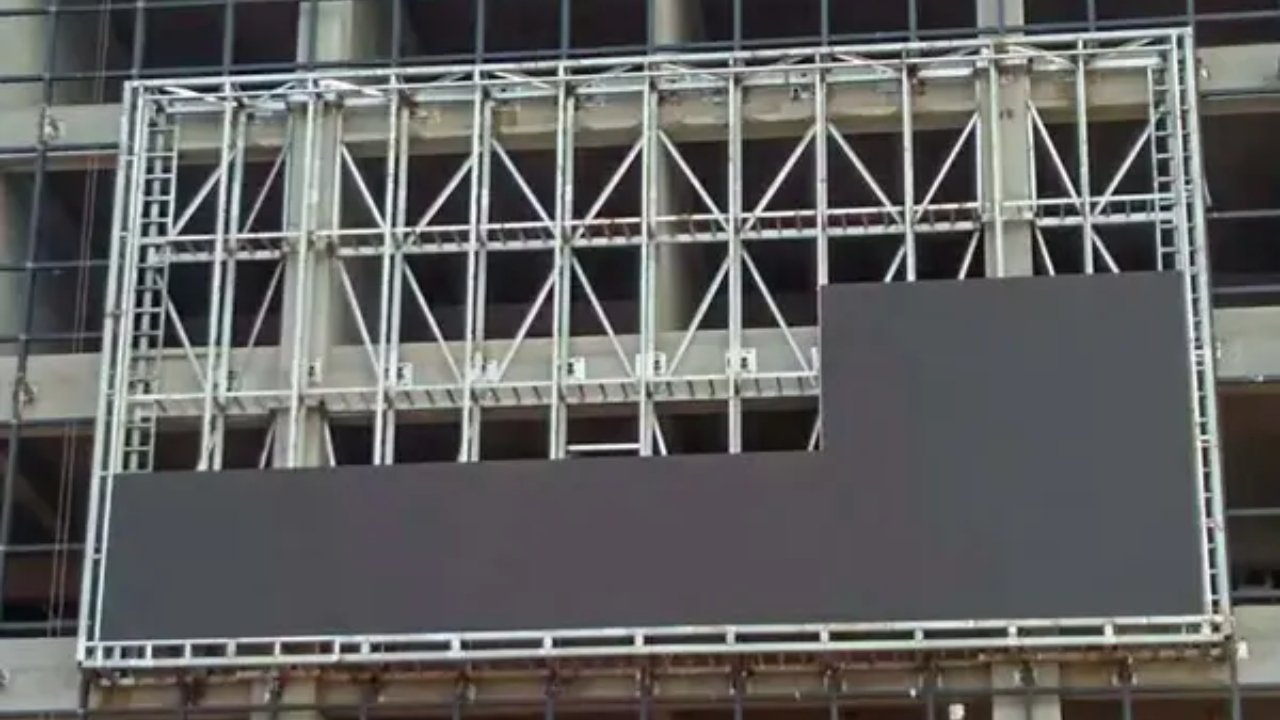
The cabinet is a strong frame tasked with securing the other key components of your LED display. It holds your LED modules in place whilst providing you with a structural unit to install your screen. A simple LED display cabinet consists of;
- Chassis: A rigid frame often made from alloys of aluminum, tasked with holding your LED display in position. Most frames are made from aluminum alloys since they boast a relatively lighter weight and are quite strong.
- Mounting Hardware: An area on the chassis fitted with alignment pins or any other form of installation hardware intended to help you mount your LED screen.
- Cooling System: Elaborate cooling mechanisms attached to the LED cabinet in order to cool components of the LED display prone to overheating.
- Power Supply Unit: A power port tasked with receiving power from the power source and converting it into usable DC power compatible with LED displays. For LED displays that require accurate cabinet alignment, stable mounting points, and lightweight structural frames, CNC machined enclosure components help improve assembly accuracy, heat dissipation, and long-term installation reliability.
· Complete Screen
Bringing all the aforementioned components together and syncing them accordingly leaves you with a complete and fully functional LED screen. The complete display typically comprises numerous cabinets tiled together under one massive structural support or chassis.
Signal and Control LED Display Architecture

· Content Source
Most LED screens draw the content to be displayed or aired from distinct sources. Media players and PCs are the most common content sources. Other sources include cameras and video processors. The sourced content, be it in video format or picture format, is then conveyed to the LED panels through specialized ports such as HDMI and SDI ports. However, it is first processed into a format or language that the LED screen can comprehend.
· Signal Path
The raw content generated by your cameras or preserved in your PC is first sent to the LED display processor, where it is modified to generate compatible data. This compatible form of data is then conveyed to the receiving cards via special network cables.
Once the data hits the receiving cards, it is decoded and sent to the integrated circuits, which consequently control the amount of current passing through. As a result of the illuminated LEDs, whose illumination occurs in patterns, videos are displayed on your LED screen. Here is a summary of the signal path;
Sending Card → Network Cables → Receiving Card (in cabinet) → Hub Card → Module → Driver IC → LED.
How Applications Determine LED Display Structural Variations

· Fixed Installation vs Rental LED Displays
Most fixed LED display installations are expected to withstand the test of time, and in most cases, they are subjected to relatively tougher environmental elements. As such, their structure must be strong enough to tolerate these harsh conditions. They boast a weatherproofing rating of at least IP 65, and their cabinets are typically made from heavy-duty metals.
Most rental LED displays, conversely, are typically made from lightweight materials since their application prioritizes mobility. Some are even 40% lighter than their fixed-installation counterparts. They come with positioning pins, which make their installation and unmounting easier.
· Indoor LED Displays vs Outdoor LED Displays
Indoor LED displays are built to display high-contrast images and videos in closed spaces. As such, their structure and configuration are relatively simpler. Their LED pixel pitch, for instance, is comparatively finer, allowing for low brightness levels at 1,500 nits and below.
Outdoor LED displays, on the other hand, are specialized to tolerate the tough conditions of outdoor spaces. Their brightness, for instance, can go as high as 10, 000 + nits, qualifying their use as outdoor billboards and stadium screens.
Other crucial parameters that determine how and where LED displays are deployed include;
- Enclosure and IP Rating
- Thermal Management
- Nits Brightness
- Structural Robustness
FAQs
How are LED displays assembled?
Despite boasting a simple design, LED displays are an assembly of distinct mechanical, optical, and electrical parts. The screen features numerous LED chips, which are integrated to form pixels.
These pixels consequently integrate to create LED modules, which subsequently snap together to form cabinets. These cabinets are finally paired with power supply units and other key infrastructure, leaving you with a fully functional LED display.
Can the structure of LED screens vary in shape?
Yes. The components inside an LED screen can be configured distinctively, giving your display a unique shape. A good example of an LED display with a distinct structure is a curved LED screen.
Do LED displays require supporting hardware?
Yes. Every LED display comes with a range of different supporting hardware depending on the intended application. Fixed installation displays, for instance, often feature installation hardware such as specialized pins or screws.
How do the receiving cards in LED screens work?
The receiving cards simply receive content from your source, which could be a computer or even a camera, before decoding it and interpreting it into signals or a format your display can process.
Is the structure of indoor and outdoor LED displays the same?
No. Whereas indoor LED displays are slimmer and lighter in weight, outdoor displays are sturdier and heavier. This is because they are meant to demonstrate permanence and a high degree of weather-resistance.
JYLED; Your Trusted LED Display Manufacturer in China

JYLED specializes in making different types of LED displays for varying applications needs. From airport video wall, car LED screen, truck LED display, to LED billboard trailers, JYLED offers unlimited options when it comes to LED screens designs.
Partner with JYLED today for all your LED screens from China – Request for our product catalogue.

