
Businesses, events, or even just for home use, the LED screen can be a really exciting project. We help you with the procedure of setting up an LED display from scratch. It kicks off during the procurement of materials up to the last calibration.
Understanding LED Screen Technology

An LED screen is composed of very small light-emitting diodes (LED). When current is passed through the diode, it emits visible light. It is further arranged in a matrix to form an individual pixel, which shows images and video. This setup of LED screens enables bright, radiantly colored images and is extremely energy efficient. Such screens have different pixel pitches, defining how much detail on a display is resolute in nature; smaller pitches usually result in higher resolution. LED displays are used in applications such as digital signage, public displays, advertising, home theatre systems, and many others.
Planning Your LED Screen Project

Determining the Purpose and Location
What is the intended purpose of the LED screen? Is it meant for a commercial, public, or private space? The answer may help you figure out optimal screen size, brightness, and resolution by the sound of its intended use. In addition, consider where the screen is being installed—indoors or outdoors—as this could help determine the materials and components needed.
Calculating the Screen Size and Resolution
The size and resolution suited to the LED screen were the viewing distance. Thus, if going to be near to the screen, it needs a greater resolution with a smaller pitch in pixels for clarity. On larger screens being used for outdoor events or long-distance viewing, a lower resolution may be appropriate as well.
Budget Considerations
The cost of building an LED screen will heavily depend on its size, resolution, and materials used. One must finally assure to consider the budget of the same and think about trade-offs between quality and cost.
Essential Tools and Materials

LED Modules
These modules form the base of the screening. An LED module is, therefore, a collection of papers based on a 2D matrix configuration at several pitches. One has to check if quality light sources are there in an LED module with respect to three characteristics: color, brightness, and longevity.
Power Supplies
Based on the screen size, numbers of modules, and loading criteria, power supplies become a very crucial factor in ensuring the proper functioning of the LED screen. Rack-mount or package power supplies with high-quality regions should be selected.
Control Systems
This is the system responsible for how your LED screen will present itself to the public. It receives input from the source, be it a computer or media player, and then outputs signal to function accordingly for each module. Nowadays, software is included in modern LED screens to integrate this operation and remotely control one’s content.
Additional Materials
Other than that, you’ll need several other things ranging from connectors, wires, enclosures to frames in mounting the modules. This will even call for installation of a cooling system, whether in the form of fans or heatsinks, to maintain your screen’s temperature at optimum levels while in use.
Tools Needed
The basic tools needed would be a soldering iron, wire stripper, and a screwdriver. Similarly, for the wall to attach the frame and also an indication of the electrical fittings, one will need a drill and a multimeter.
Step-by-Step Assembly Guide
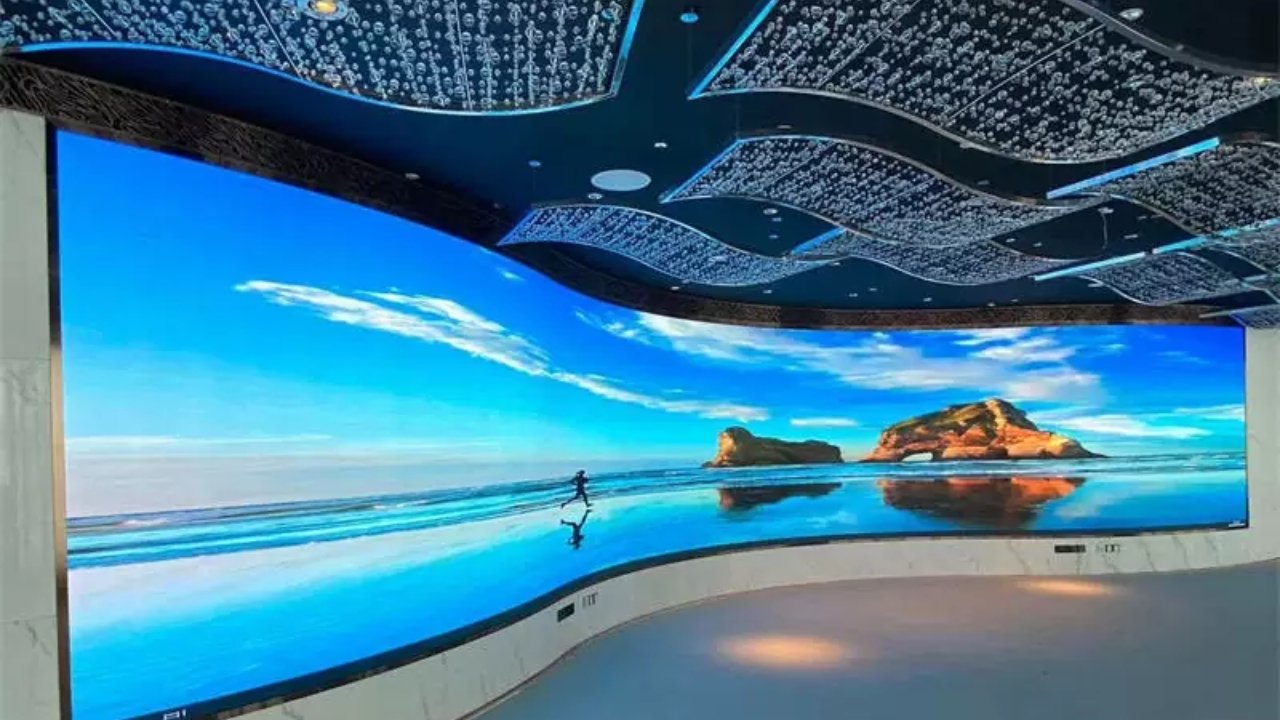
Designing the Screen Layout
Design the layout of the LED screen, taking into account its size, shape, and pixel density. This layout has to suit the intended use of the screen and viewing distance so that it will ensure the maximum clarity.
Preparing the Frame or Cabinet
The fixing of LED modules requires a sturdy frame or cabinet. Based on the area of installation and usage, it can be made either of metal or durable plastic. Ensure that the frame or cabinet is able to resist environmental factors, particularly if the screen is used outdoors.
Installing LED Modules
On having made the frame, we place the LED modules inside the frame with the correct side up. This would be the most important thing, because improper alignment would lead to an improper display.
Wiring and Connections
After that, connect the modules to the power supply and control system. This requires extremely neat wiring in such a way that each module receives the correct electrical signals. No haste is to be shown, as any mistake in the connection would mar the performance of the display.
Setting Up the Control System
This system will control the displayed image on a screen by any number of connecting ways to the controllers. This can be effected by connecting the control unit to a computer or a media player. At the latter case, it is vital to set the system up according to needs.
Testing Individual Components
Test each part after assembly on its performance, whereby testing has to be done on the power supply, LED modules, and control system to locate any errors that would affect operations.
Calibration and Configuration

Software Installation
Acquire software capable of managing an LED display screen that will be running on your computer, which enables configuration of the control system and uploading of content to the display. Ensure that the software you install supports your entire control system and modules.
Color Calibration
The color calibration process means that the RGB values of each module are set to output a color that the viewer sees as a certain color on the screen. However, you may want to use a color calibration tool for far more accurate calibrations.
Brightness and Contrast Settings
You will have to set up the Brightness and Contrast on different lighting conditions to clearly display whatever is on screen. Besides, correct calibration will make screens much clearer, reducing eye stress for viewers to quite an extent.
Testing with Sample Content
Finally, display test images to understand the performance of the screen. Make such adjustments in the settings that improve the visual output.
Maintenance and Troubleshooting

Routine Maintenance Practices
Routine maintenance will keep the LED screen in proper working order. Wipe down the modules and frame to prevent dust from accumulating, and inspect connections for any wear and tear. Finally, ensure to attend to problems concerning your power supply.
Upgrading Components
You may have to upgrade components such as the power supply or the control system to meet changing technology or adjust to your needs.
Addressing Technical Issues
This would include checks at wiring, power supply, and control system levels during debugging in case of any troubles. Most often, dedicated diagnostic software will be most helpful in making fast identifications and corrections.
Enhancing Your LED Screen

Integrating Audio Systems
It’s an interesting audio experience system that can be integrated with the screens to further enhance the viewing pleasure of the LED screens for any kind of event or as an advertising display.
Incorporating Sensors
It could be an interactive LED screen using some sensors added to it, such as motion sensors or even a few touch sensors, to engage users with your screen effectively.
Network Connectivity
On the other hand, one may consider going for network connectivity, which would allow easy updating of content from a distance and managing it in a synchronized manner.
Conclusion

Building an LED display needs good preparation, tool selection, and detail. This guide offers a blueprint, which will guide you on all your steps if you intend to put an LED display of good quality for business, personal use, or event.
FAQs
How do I determine the appropriate dot pitch for my LED Display?
The dot pitch determines both the resolution clarity of LED display screens along with the nearness of viewers maintaining clear images. Different dot pitch sizes serve close-up observation requirements and support distance observation including outdoor applications.
Can I integrate touch functionality into my LED screen?
Yes, by using a touch-sensing overlay or a specialized LED screen module equipped with touch technology.
What software options are available for managing LED screen content?
There are several software programs, including NovaStar, Colorlight, and Datapath, that allow you to manage display content, tweak various settings, and monitor the screen remotely.
Can I customize the shape and size of my LED screen?
Yes, LED screens may be custom made in a variety of sizes and shapes. That is simply the beauty of the modularity of the LED technology being simply capable of being adjusted to your requirement.
How do I choose the right power supply for my LED screen?
Determine a power supply unit that meets the voltage and current requirements of your LED modules. Determine the power consumption, and then choose a supply that has sufficient power output with a margin of safety.

